How to Adjust Machine Settings for Different Paper Thicknesses?

Time:2026-05-28 Author:Henry
0%

When it comes to printing and binding, one crucial aspect is ensuring the machine settings match the paper thickness. Understanding how to adjust machine settings for different paper thicknesses is essential for achieving high-quality results. Many operators overlook this vital step, leading to print quality issues or even machine damage.

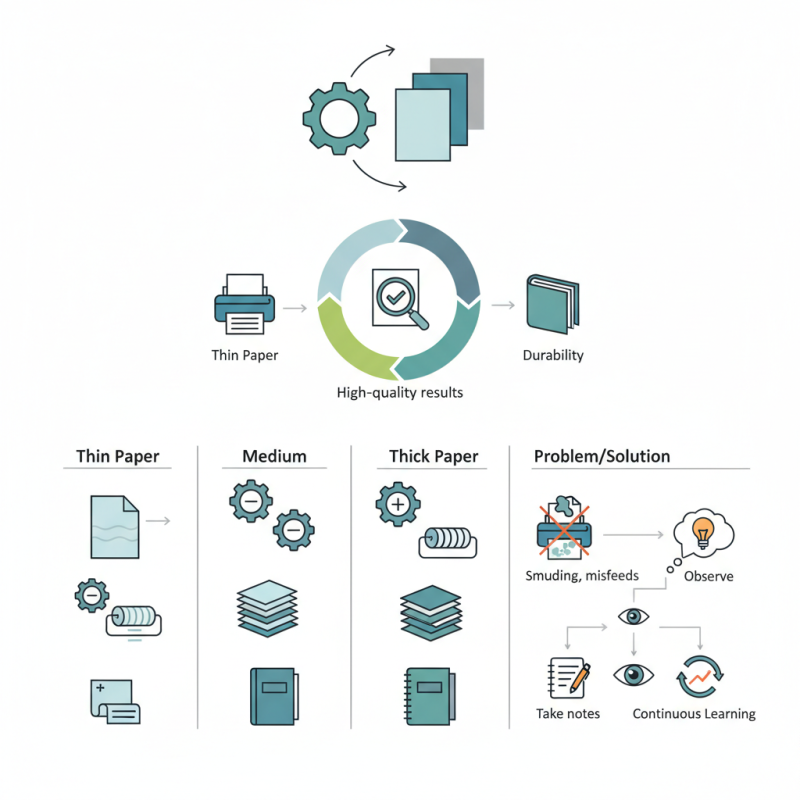
Proper adjustment can significantly enhance the final product's appearance and durability. Each type of paper has unique characteristics, from weight to texture. A miscalculation can lead to problems such as smudging, misfeeds, or uneven pressure. Exploring how to adjust machine settings for different paper thickness will help you navigate these challenges.

Gaining expertise in this area requires practice and reflection. Each experience can teach valuable lessons. As you adjust settings, observe how different papers behave. Take notes on what works and what doesn’t. This continuous learning is key to mastering the art of printing with varying paper thicknesses.
How to Adjust Machine Settings for Different Paper Thicknesses?

Understanding Paper Thickness and Its Impact on Printing

When it comes to printing, understanding paper thickness is essential. Paper thickness affects the way ink interacts with the surface. Thicker paper absorbs ink differently than thinner paper. This can lead to variations in color saturation and sharpness. For instance, a heavy cardstock may require adjustments in ink flow to prevent smudging.

Adjusting machine settings is crucial for optimal results. For thicker papers, increasing the pressure of the print heads can ensure even ink distribution. However, too much pressure can create impressions or marks on the paper. It’s a delicate balance. Additionally, the drying time might need to be extended to prevent blurring.

Reflecting on past experiences, many printers face challenges with paper thickness. Often, they overlook the small adjustments required for different papers. This can lead to unsatisfactory results. Regular calibration and testing can help in achieving the desired quality. Making small, thoughtful changes can significantly enhance the final product.

Identifying the Correct Machine Settings for Different Thicknesses

To achieve optimal performance with machines, adjusting the settings for different paper thicknesses is essential. Identifying the right configuration helps avoid common issues such as paper jams and uneven printing. Research from industry reports indicates that machines often perform best with specific thickness ranges. For instance, paper weighing between 80-120 gsm typically requires a moderate pressure setting. Heavier papers, like those over 300 gsm, may need increased pressure and slower feed rates to ensure proper handling.

One key factor in adjusting settings is understanding the paper's properties. The thickness affects not only the machine's pressure settings but also the temperature for drying in printing processes. A thicker stack absorbs more heat, necessitating careful calibration. Using a feed setting too fast for thicker papers can lead to misalignment or tearing.

Tip: Always perform a test run when switching paper types. This practice can help you gauge how the machine interacts with the new thickness.

Additionally, regular maintenance of machinery plays a critical role. Dust build-up and worn parts can alter performance characteristics, especially when dealing with varying paper weights. Tracking machine performance over time can provide insights into necessary adjustments.

Tip: Keep a maintenance log to note any changes in paper handling. This record can guide future adjustments and improve overall reliability.

Step-by-Step Guide to Adjusting Feeding Mechanisms

Adjusting machine settings for different paper thicknesses requires careful attention to feeding mechanisms. When handling thicker paper, it's essential to modify the feed rollers' pressure. According to a study by the Printing Industries of America, improper pressure can lead to paper jams and wasted materials. Increasing the roller pressure slightly prevents slippage and ensures smooth feeding. This adjustment may vary depending on the machine's design and paper type.

Next, consider the gap between feed rollers. For thicker materials, a wider gap is necessary to avoid damage. A report from the Specialty Graphic Imaging Association suggests that an optimal gap allows the paper to pass through without resistance. Experimenting with small adjustments can help identify the ideal setting. Always test with a sample of the intended paper before running a full job.

Lastly, keep an eye on the feed speed. Slower speeds can reduce the risk of errors when using thicker sheets. Some operators find slow feeding beneficial in reducing wear on machinery. Regular inspection of the feeding mechanisms is crucial for optimizing performance. This ongoing process of adjustment, testing, and refinement contributes to achieving consistent print quality.

Calibrating Pressure Settings for Optimal Paper Handling

Adjusting machine settings for different paper thicknesses is crucial for optimal performance. One key aspect is calibrating the pressure settings. Incorrect pressure can lead to poor print quality or paper jams. The challenge lies in accurately setting the pressure based on the thickness of the paper being used.

For thicker paper, you may need to reduce the pressure. This adjustment allows for smoother feeding and prevents unnecessary wear on the machine. On the other hand, thinner paper requires slightly increased pressure to ensure proper gripping. Experimentation is often necessary. It may take a few tries to find the perfect setting that balances quality and efficiency.

Understanding the nuances of pressure adjustment is essential for effective paper handling. Observing the machine's behavior after each adjustment reveals valuable insights. Sometimes, despite our best efforts, the settings don’t yield the desired results. Regularly revisiting the calibration process can lead to improvements. This reflection helps in fine-tuning the approach and ensuring reliable operation over time.

Testing and Fine-Tuning Output for Quality Assurance

When adjusting machine settings for various paper thicknesses, testing output quality becomes crucial. The process involves monitoring several parameters, including pressure, speed, and temperature. According to a recent industry report, 70% of print defects arise from incorrect settings. Regular testing helps identify these issues early, ensuring high-quality results.

Fine-tuning involves evaluating test runs and adjusting settings accordingly. For instance, using thicker paper requires increased pressure. Neglecting this can lead to poor registration or uneven prints. Some operators may overlook the importance of calibration, resulting in inconsistent output. Emphasizing precise measurements can improve overall performance.

Quality assurance is an ongoing process. Collecting data from test runs provides insights for future adjustments. About 60% of businesses reported improved efficiency after instituting regular testing protocols. A methodical approach to fine-tuning machine settings is vital. Continuous reflection on output quality can enhance reliability, benefiting both the producer and the consumer.

Adjusting Machine Settings for Different Paper Thicknesses

This chart illustrates the optimal machine settings for various paper thicknesses, focusing on the adjustments in pressure and speed to ensure quality output.

FAQS

: Why is paper thickness important in printing?

: Paper thickness affects ink absorption and color saturation. Thicker paper has different needs than thinner paper.

What adjustments are needed for thicker paper?

Increase print head pressure for even ink distribution. However, be cautious of too much pressure causing marks.

How does drying time change with paper thickness?

Thicker paper may require longer drying times to prevent blurring. Adjustments should be made based on the thickness.

What should I consider when adjusting machine settings?

Understand the paper's properties and its thickness. This guides settings for pressure, temperature, and feed rates.

How can I prevent paper jams and uneven printing?

Identify the right configuration for specific paper thicknesses. Regular calibration helps avoid common printing issues.

What’s a good practice when switching paper types?

Always perform a test run with new paper types. This assesses how your machine interacts with different thicknesses.

How does machine maintenance affect paper printing?

Regular maintenance prevents performance issues. Dust and worn parts can alter how machines handle varying paper weights.

What mistakes can lead to poor print quality?

Overlooking necessary adjustments for paper thickness can lead to unsatisfactory results. Small changes can make a big difference.

How do I track machine performance over time?

Keep a maintenance log noting changes in paper handling. This helps identify necessary future adjustments.

Why might printers face challenges with paper thickness?

Many printers overlook small adjustments needed for different papers. This can result in less than ideal prints.

Conclusion

In the article "How to Adjust Machine Settings for Different Paper Thicknesses," readers are guided through the essential aspects of handling varying paper thicknesses in printing. The article emphasizes understanding paper thickness and its significant effect on print quality, highlighting the need for appropriate machine settings to achieve optimal results.

The step-by-step guide provides a comprehensive approach to adjusting feeding mechanisms and calibrating pressure settings, ensuring proper paper handling. Furthermore, it discusses the importance of testing and fine-tuning output for quality assurance, allowing users to produce high-quality prints regardless of paper variation. Overall, this guide serves as a valuable resource for anyone looking to learn how to adjust machine settings for different paper thickness effectively.

Henry

Henry

Henry is a dedicated marketing professional with a profound expertise in the company's offerings. With years of experience in the industry, he possesses an impressive understanding of the market dynamics and consumer behaviors that drive success. Henry is committed to sharing his insights through......